
You are about to learn how to start a podcast, step-by-step, even if you have never recorded a single frame of audio before.
I have been podcasting for over a decade, and while the technology has evolved, the core principle remains the same: Trust. On the internet today, trust is the ultimate currency. As a podcaster, you are scaling intimacy. When I meet listeners, they don’t just say “I like your content”—they say, “I feel like I know you.”
That connection is powerful, but building it requires the right foundation. Let’s get your show launched the SMART way.
Phase 1: Planning Your Show
1. Choose a Topic You Can Commit To
Most podcasts fade out after episode seven (a phenomenon known as “podfading”). To avoid this, you need a topic with depth.
The “25 Episode” Exercise: Before you buy a microphone, open a spreadsheet or grab a notebook. Write down a list of 25 potential episode ideas (topics or potential guests).
- If you struggle to hit 10: You need to broaden your topic or pick a new one.
- If you hit 25 easily: You have a sustainable show.
2. Pick Your Podcast Name
Your title is the first thing people see. It drives SEO (Search Engine Optimization) and click-through rates.
- The Creative Name: The Tim Ferriss Show (Relies on personal brand).
- The Descriptive Name: The Property Podcast (Tells you exactly what it is).
- The Hybrid: Smart Passive Income (Brand + Benefit).
Warning: Do not “keyword stuff” your title (e.g., Marketing | Sales | SEO | Business Tips). Apple Podcasts may remove your show for spamming.
3. Decide on Your Format
- Solo Monologue: Builds high authority and trust. Easier to edit, harder to carry the energy alone.
- Interview Style: Great for networking and borrowing the guest’s audience. Requires scheduling tools like SavvyCal or Calendly.
- Co-hosted: Great banter and chemistry, but requires syncing schedules.
Phase 2: Branding
4. Create Your Artwork
Your cover art is your storefront. It must look good on a 50-inch monitor and a tiny iPhone screen.
The Specs:
- Dimensions: 3000 x 3000 pixels (Square).
- Format: JPG or PNG.
- Colors: High contrast. Avoid white backgrounds (they blend into podcast apps).
Where to get it:
5. Write a Compelling Description
The first sentence of your description is critical. Do not start with “In this podcast, I talk about…” Start with the listener’s pain point or desire.
- Bad: “Welcome to the Dog Show. I talk about training dogs.”
- Good: “Tired of your dog chewing the furniture? The Dog Show helps you train your best friend using positive reinforcement…”
Phase 3: The Gear
6. Purchase Your Equipment
You do not need a $5,000 studio. You need a setup that eliminates distraction.
The “Good Enough to Start” Setup:
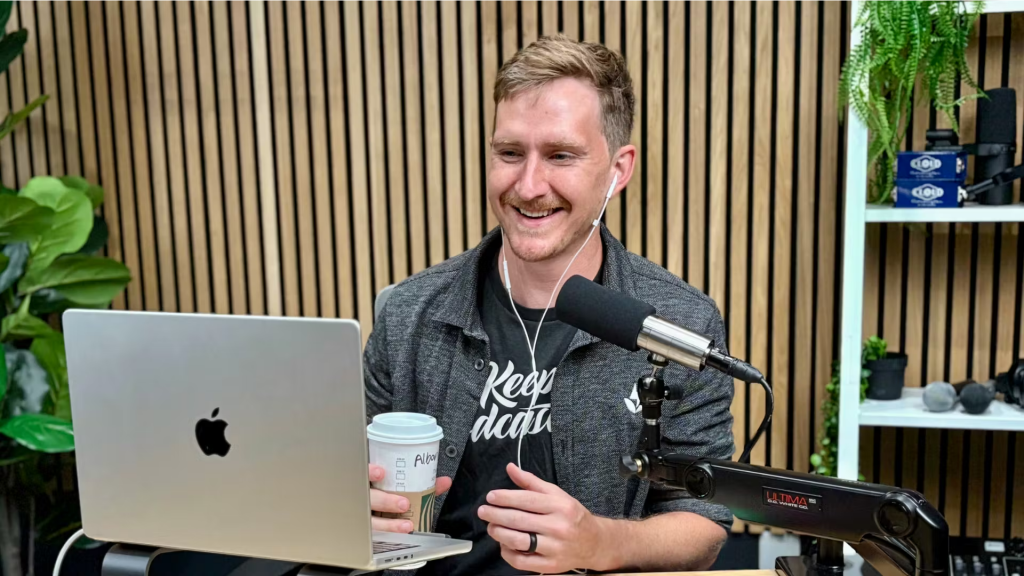
- Microphone: The Samson Q2U or Audio-Technica ATR2100x.
- Why: These are USB/XLR hybrid mics. You can plug them directly into your computer via USB now, and upgrade to a professional mixer later without buying a new mic.
- Accessories: A Foam Windscreen or Pop Filter. This stops “plosives” (the popping ‘P’ and ‘B’ sounds).
[Image: A diagram showing proper microphone technique: mouth positioned 3-4 inches away from the mic, slightly off-axis]
7. Choose Your Software
- Recording (Solo): Audacity (Free, Windows/Mac) or GarageBand (Free, Mac).
- Recording (Interviews): Do not use Zoom. The audio quality is compressed. Use Riverside.fm or SquadCast. These record “locally” on your guest’s computer, ensuring studio quality even if the internet lags.
Phase 4: Hosting & Tech
8. Choose a Podcast Hosting Service
You cannot upload MP3s directly to Apple or Spotify. You upload them to a Podcast Host, which generates an RSS Feed. The directories (Apple, Spotify) simply “read” that feed.
[Image: A flow chart diagram illustrating how a podcast host stores the audio file and pushes the RSS feed to Apple Podcasts, Spotify, and YouTube Music]
Recommended Host: Fusebox Fusebox offers intuitive hosting, analytics, and—crucially—a beautiful web player for your own website.
Other reliable options:
- Buzzsprout (Great for beginners).
- Libsyn (The industry veteran).
- Transistor (Great for multiple shows).
Phase 5: Production
9. Record and Edit
The “One-Take” Myth: You will mess up. It’s okay.
- Technique: When you stumble, clap your hands loudly (this creates a visual spike in the audio waveform) and pause for three seconds. Then, repeat the sentence. When editing, just look for the spikes and cut the mistake out.
The Outline: Never hit record without a plan. Use a bullet-point outline:
- The Hook: What is this episode about?
- The Meat: 3 key takeaways.
- The Call to Action: What should the listener do next?
Phase 6: Launch & Growth
10. Launch Strategy
Don’t release one episode and wait.
- The 3-Episode Rule: Launch with at least 3 episodes available immediately. This allows new listeners to “binge” your content, which signals to the algorithms that your show is engaging.
- Submit Early: Submit your RSS feed to Apple Podcasts at least 5 days before your announce date to ensure approval.
11. Marketing
- Leverage Guests: Send guests “swipe copy” (pre-written tweets/emails) and graphics so it is easy for them to share.
- Repurpose: Use tools like Repurpose.io or OpusClip to turn your audio into vertical video clips for TikTok, Instagram Reels, and YouTube Shorts.
12. Monetization
How do you make money?
- Affiliate Marketing: Recommend products you use (like the microphone you just bought) using Amazon Associates or direct affiliate programs.
- Sponsorships: Usually require 5,000+ downloads per episode.
- Memberships: Use Patreon to offer ad-free episodes or bonus content to super-fans.
Also Read : TikTok Creativity Program: Earn $500/Video in 2026
